If you have a newish boat then you will likely have either an NMEA2000 network or if it has mainly Raymarine equipment fitted, it will have a Seatalk NG network. If you have an older boat it might have either NMEA 0183 or Seatalk. If you are upgrading you will need to choose between NMEA 2000 and Seatalk NG.
My boat had Seatalk and Raymarine legacy instrument and I’ll explain how I upgraded and mixed Raymarine and B&G equipment to have the best of both worlds.
Raymarine (originally named Ratheon) used and still uses its own system. The legacy being Seatalk 1 and now its equivalent to NMEA 2000 is Seatalk NG. Given the prevalence of Raytheon/Raymarine in the marine market, it’s highly likely that your yacht will have their depth, speed and wind instruments. This was the case on Dragon II. All the old instruments were in good working order and it seemed unnecessary work and expense to replace them all.
My choice was to install a Seatalk NG network. The cable terminals are quite small which made routing the cables a bit easier.
The big question was could the old depth, speed and wind transducers “talk” to the new network.
Connecting Seatalk 1 to Seatalk NG
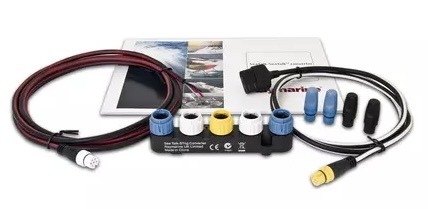
I was sceptical that this would be as easy as Raymarine suggested but went ahead and purchased the Seatalk 1– Seatalk NG adapter kit.
(https://www.raymarine.com/en-us/our-products/networking-and-accessories/seatalk/seatalk-1-to-seatalk-ng-convertor).
The only complication was there should not be two power sources to the networks. Some sources suggested cutting the power wire in the power cable that came with the kit. I found it simpler to ensure there was no power in the Seatalk circuit and used the kit power cable as supplied. I worked perfectly with the legacy wind indicators, also allowing the autopilot to work in wind mode.
Raymarine has an alternative, the itc-5 transducer convert. There are a few catches. so if you are interested you can read more here.
Connecting other brands to Seatalk NG
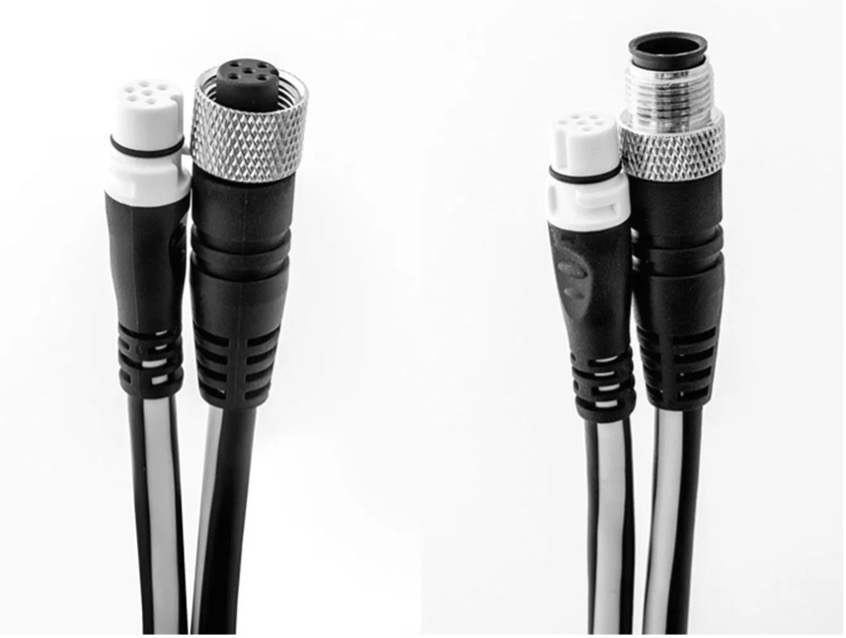
Most other brands can be connected to Seatalk NG using the appropriate drop cable. It’s possible you may lose some functionality, but I have found that to be limited. I connected my B&G Zeus chart plotter to the Seatalk NG network and it work perfectly.
Tips for upgrading your network
- Draw a detailed diagram including your existing equipment and transducer together with new equipment you wan to add now or in the future.
- Decide on you choice of network backbone.
- Plan carefully how you want route the cables and where you will position your equipment.
- Accurately measure the lengths of cable and figure out T connectors etc.
- Make sure you buy blanking plugs if needed as well as any drop cable to connect mixed equipment.
 A Dragon's Tale